May 14, 2008 by sharky
If you’ve already got an account at a great private tracker such as ScT or BitMeTV, then we don’t have to tell you how difficult it is to maintain a good sharing ratio. Everyone jumps on the recent additions, and a 50 : 50 S/L torrent quickly turns into 98 : 2. Getting into a fresh swarm is crucial and a seedbox can help, but there’s also another way — Why not just seed a torrent that you’ve already downloaded?
We’ve already discussed this same tip for µTorrent, but this is done with a twist for seedbox owners.
Seeding a Torrent to a Different Tracker
It works like this: You need two private tracker accounts. Download a torrent to your seedbox from a private tracker that you have a good sharing ratio at (or, one that is easy to upload to) and seed the finished files to a more difficult-to-seed tracker. This way you’re not incurring any download stats against your ratio, only the upload ratio will increase. Simply upload the new torrent, making sure the torrent name is the same.
Archived by FSFmirror

 With the huge influx and availability of torrent ‘templates’, new BitTorrent sites are opening shop all the time. Their ease-of-use now makes it possible for virtually anyone to create a torrent website in as little as 30 minutes. Thus, rarely does a new tracker join the BT scene that really stands out - although we think we’ve found the next big thing.
  With some elite trackers it’s not enough anymore to just have a seedbox if you want to do some serious ratio building. While it will give you an distinct advantage over non-seedbox users, it seems like all the users on some of the über-elite sites have seedboxes now - as in the case with ScT.
 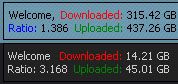 What else is a seedbox good for besides seeding your torrents to build obnoxiously high sharing ratios? Well, for starters, you can also download the finished files to your PC. The bandwidth you consume during this transfer will not be counted against your account, so feel free to actually use what you’ve been happily seeding.
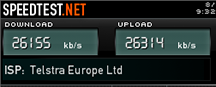
 In layman’s terms, a Seedbox is simply a rental server which replaces your PC to download / upload files in very high bandwidth in both directions, and you can download the finished files back to your home PC using FTP or HTTP. Seedboxes are quickly becoming requisite to maintaining a good sharing ratio on many of the elite private trackers, and
  So, you’ve come to your senses and decided to give mininova the slip and get yourself a private BitTorrent account. Good! How about a really great private account? Even better. If you’ve managed to squeeze yourself into an über-elite private BT tracker (such as ScT, BitMeTV or iTS), the first thing you’re gonna notice is an almost complete lack of ability to upload. Why is that? Well, you have a handicap: You don’t have a seedbox. Unfortunately, it also means your days on that l33t tracker are likely numbered. Without a good sharing ratio, the account will get pruned. The solution? Set up a seedbox.
 A seedbox is BitTorrent jargon for a dedicated high-speed server used explicitly for torrent transfers; more specifically - for uploading (seeding) at high rates. With a seedbox you’ll be able to manage your torrents through a browser from anywhere, anytime. Here’s 10 reasons for the advantages of using a seedbox over conventional home-based BitTorrent transfers: